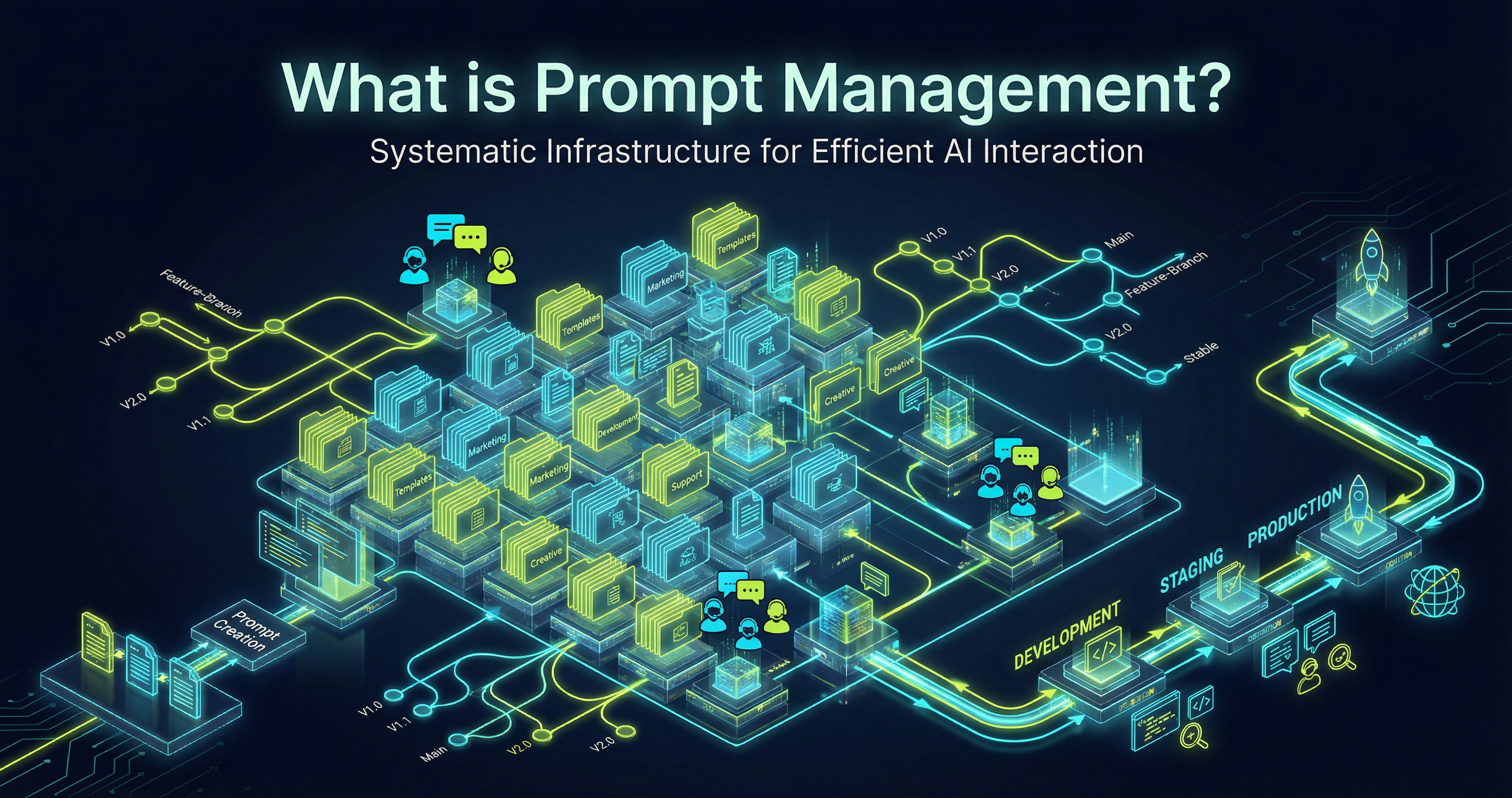
How to Build a Prompt Library That Your Team Will Actually Use

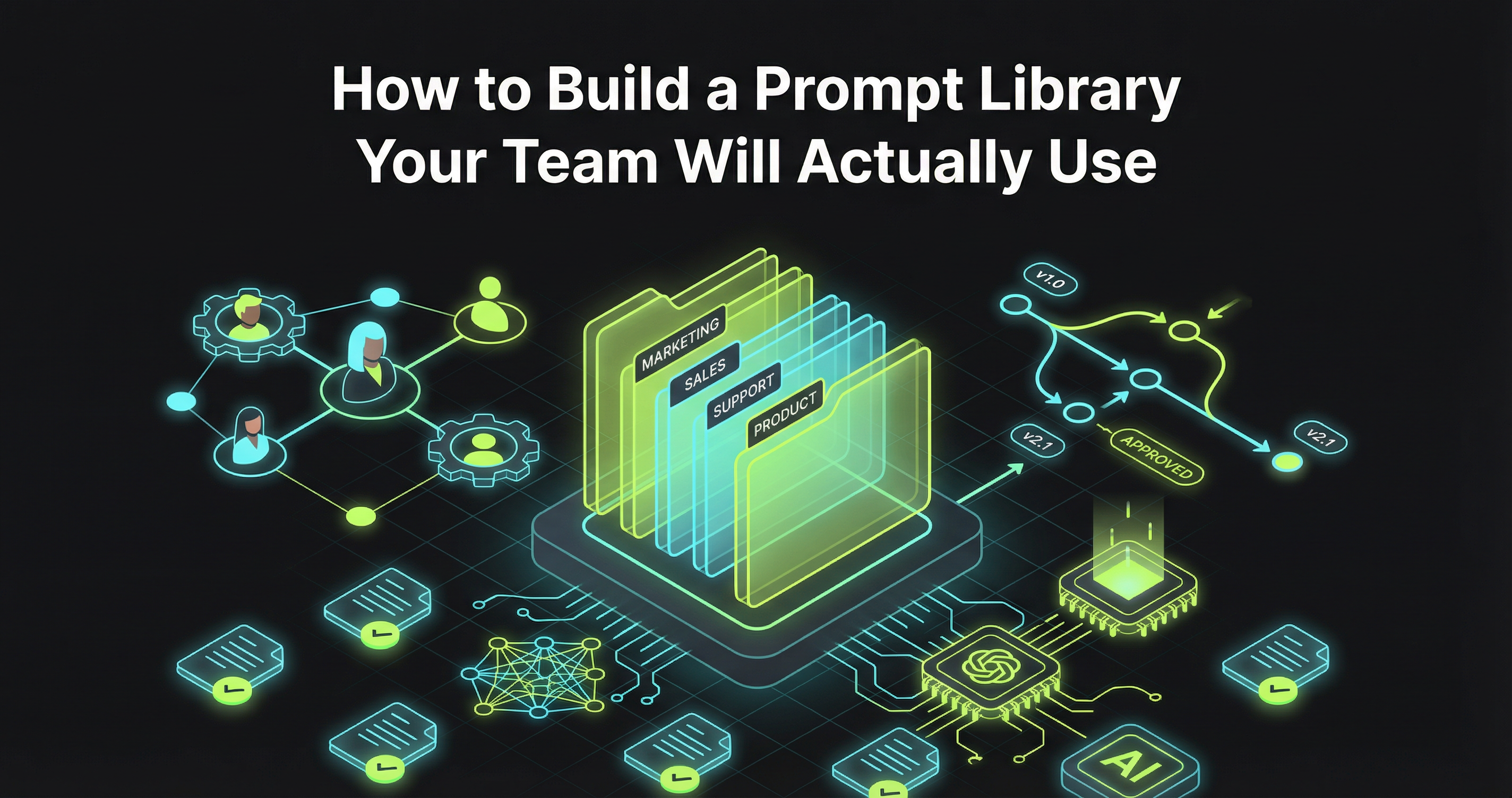
How to Build a Prompt Library That Your Team Will Actually Use
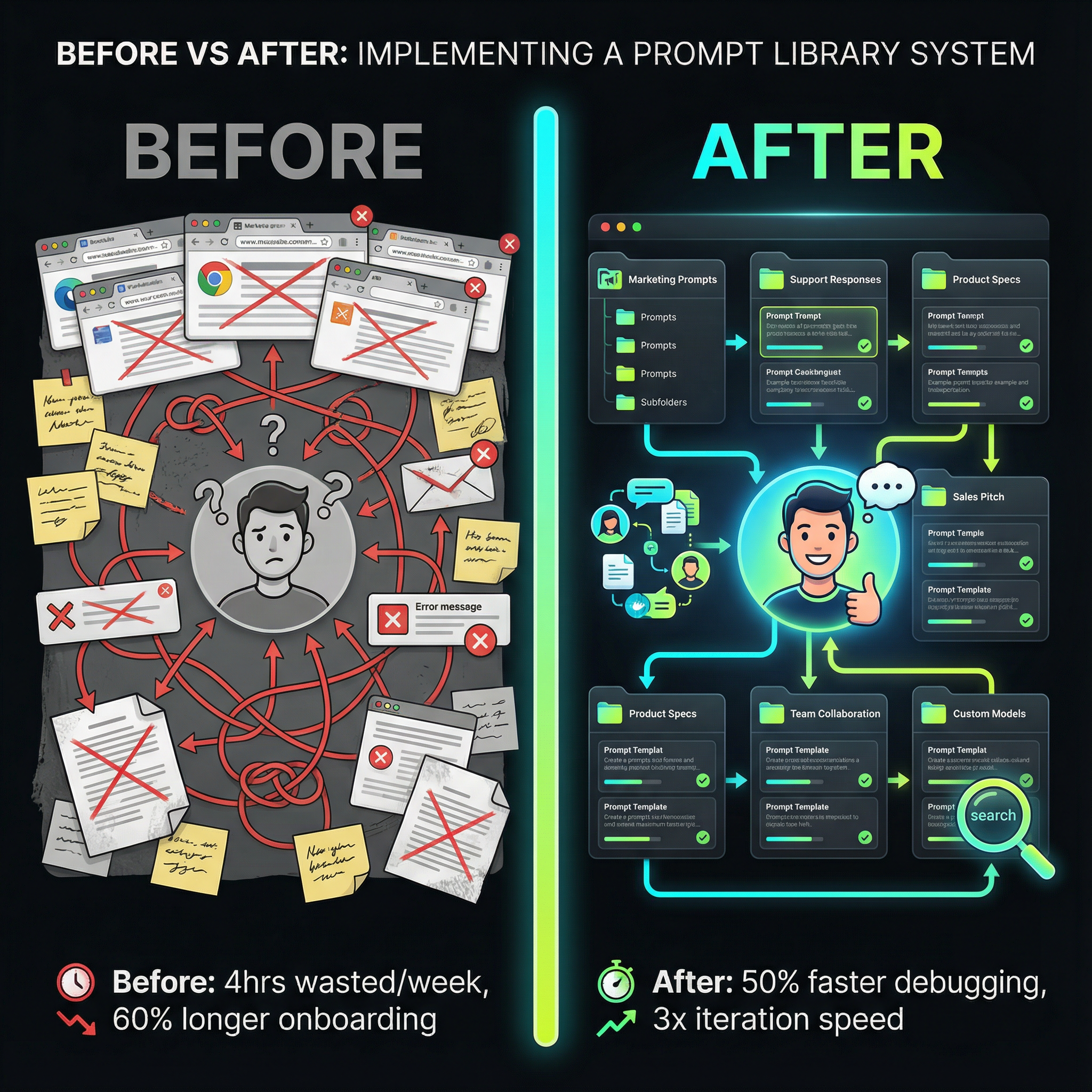
Here's what's happening: someone on your team crafts the perfect prompt after hours of iteration. It generates exactly the output you need, saves 30 minutes of work, and everyone agrees it's brilliant. Three weeks later? Nobody can find it. It's buried in a Slack thread, lost in someone's ChatGPT history, or scribbled in a Google Doc that five people can edit but nobody remembers naming.
Let me share what the data tells us: 87% of large enterprises have implemented AI solutions, investing an average of $6.5M annually per organization. Yet 37% of companies have no central AI strategy, with teams operating in silos. The impact? Your engineering team reinvents prompts that your product team already perfected last month. Your customer success team copies and pastes the same instructions into ChatGPT 47 times a week. Your new hire spends their first two weeks figuring out how everyone else is "doing AI" instead of actually doing their job.
Here's the plan: this article walks you through building a prompt library that solves these problems. Not a theoretical framework that looks good in a presentation deck, but a practical system your team will actually use. You'll learn how to organize prompts so people can find them, implement version control that prevents production disasters, and create collaboration workflows that don't require a PhD in computer science. By the end, you'll have a blueprint for turning scattered AI experiments into structured assets that compound in value over time.
Why Most Prompt Libraries Fail (And What Makes Them Work)
The gap between "we should organize our prompts" and "we have a system everyone uses" is littered with abandoned Notion pages and dusty Confluence spaces. Let's prevent the fire, not just fight it—understanding why most attempts fail helps you avoid the same mistakes.
Here's what's actually happening: the real problem isn't technical—it's organizational. Teams approach prompt management as a filing problem when it's actually a workflow problem. You can build the most elegantly structured folder hierarchy in the world, but if saving a prompt takes seven clicks and three context switches, nobody will do it.
Research from Agenta.ai reveals that teams implementing structured prompt management report a 50% reduction in debugging time for LLM-related issues and iterate on prompts 3x faster. The teams that see these results share three characteristics.
First, they treat prompts as code, not content. This means applying software engineering principles: version control, testing, deployment pipelines, and rollback capabilities. Only 27% of organizations review all gen AI outputs before use, exposing customer experience to avoidable errors.
Second, successful prompt libraries make collaboration explicit, not accidental. The library has to support workflows natively, not force everyone into the same interface.
Third—effective prompt libraries measure what matters. 72% of enterprises are formally measuring Gen AI ROI, with three out of four leaders seeing positive returns. The libraries that survive past the initial excitement phase are the ones that tie directly to metrics leadership cares about.
The Architecture of a Functional Prompt Library
Building a prompt library that people actually use starts with understanding what you're organizing. Prompts aren't uniform—they have different lifecycles, different audiences, and different requirements for quality control. Here's the plan.
The Three-Tier Structure
The most effective prompt libraries use a three-tier hierarchy: Templates, Instances, and Variants. Templates are the reusable patterns with placeholders. Instances are specific implementations. Variants are tested alternatives with different parameters.
This structure solves the discoverability problem. When someone needs a prompt, they start with templates that match their use case, not a flat list of 247 saved prompts with names like "good_summary_v3_final_ACTUALLY_FINAL."
Metadata That Matters
The essential metadata fields are: Use case, Model, Cost tier, Review status, Success metrics, and Related prompts. Thornton Tomasetti's Asterisk platform can "produce in seconds building designs that would take a team of engineers weeks to compile." This isn't magic—it's carefully organized prompts with clear metadata.
Folder Structure vs. Tagging
Should you organize prompts in folders or use tags? The answer is both. Folders represent your organizational structure. Tags represent cross-cutting concerns. You need both to support different mental models for how people search for information.
Version Control for Humans (Not Just Engineers)
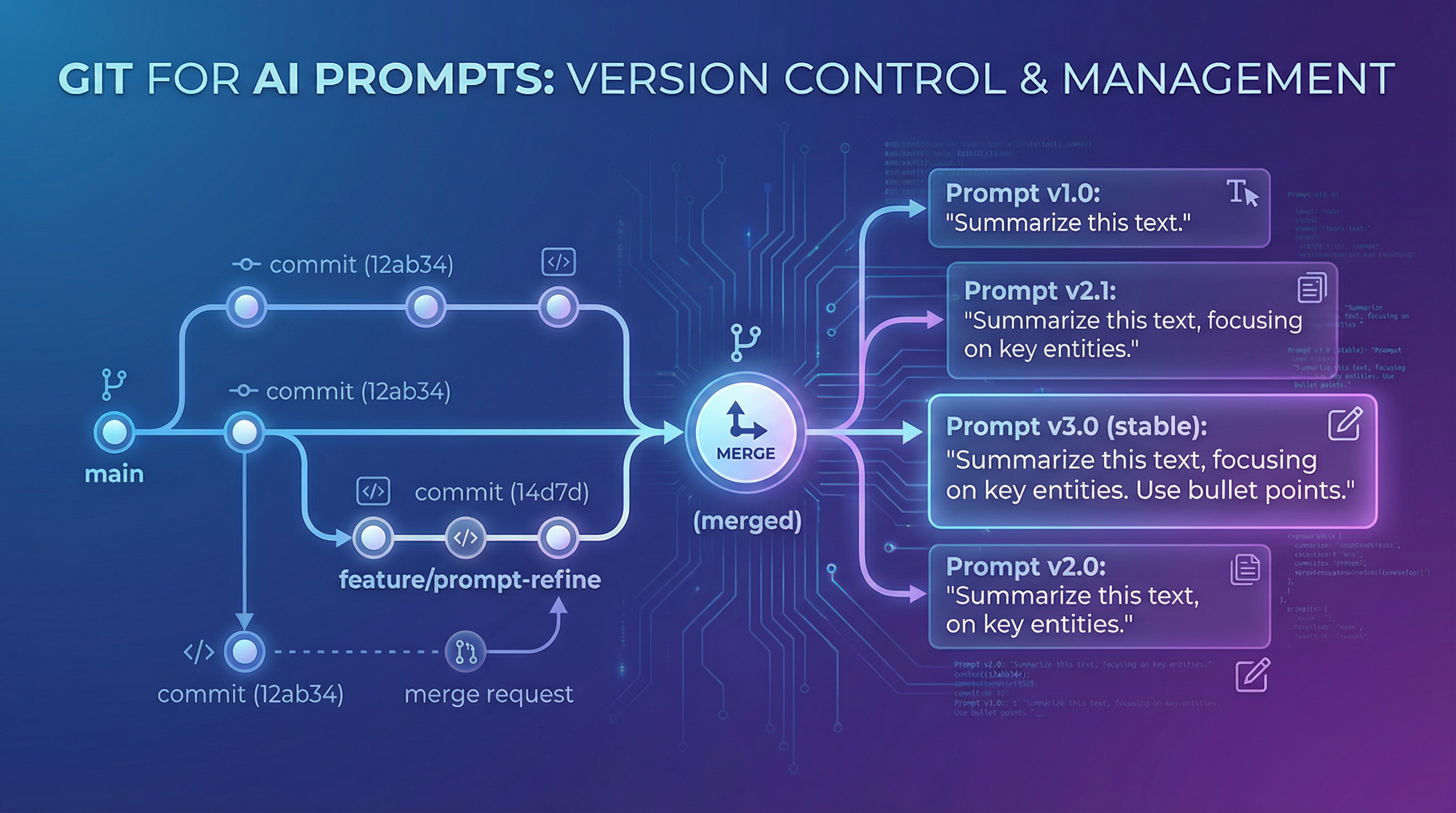
Version control is where most prompt libraries either become indispensable or collect dust. Traditional version control systems like Git are designed for software engineers. Your product managers and customer success team need version control's core benefits without touching a terminal.
Prompt engineering job demand surged 135.8% in 2025, with the global market estimated at $505 billion. As prompt engineering becomes a core competency across roles, your version control system needs to work for everyone.
Visual Version History
Effective prompt version control shows you a timeline, not a commit log. You should see: changes highlighted, who made them, why, and performance comparison if tracking metrics.
Branching for Experimentation
Here's a playbook that works: production prompts are locked by default. You create a branch, make changes, test, then submit for review. Red Brick Consulting achieved 25% reduction in administrative time and 2x faster billing using this approach.
Rollback Without Drama
This is where 50% reduction in debugging time comes from. Teams with proper versioning click "view history," identify the problem, and click "revert." The entire incident takes less time than a Slack message thread.
Building Cross-Functional Collaboration Into Your Library
The technical architecture of your prompt library matters less than the human workflows it enables. You need structured collaboration that matches how your teams actually work.
Role-Based Access That Makes Sense
You need three roles: Creators (can build new prompts and edit their own), Reviewers (can approve prompts for production use), and Users (can access and use prompts, suggest improvements). 71% of C-suite report AI applications being created in silos. Breaking down these silos requires collaboration tools that respect expertise without creating gatekeepers.
Review Workflows That Don't Slow Everything Down
Here's a playbook that works: prompts have three states—Draft, Reviewed, and Production. Moving from Draft to Reviewed is fast (async approval, 24-hour SLA), but moving to Production is deliberate (requires deployment plan, rollback procedure).
Comment Threads and Iteration History
Every prompt should support threaded discussions because the conversations about why a prompt works are as valuable as the prompt itself. This prevents one in three workers actively sabotaging company AI rollouts. We want to make sure everyone's getting value from these tools.
Measuring What Matters: Prompt Library ROI
Leadership will eventually ask: "Is this worth it?" You need to answer with data. Here's the plan for measuring what actually matters.
The Three Metrics That Actually Matter
Time to first value measures how long it takes a new team member to successfully use a prompt from your library.
Prompt reuse rate tracks how often people use existing prompts versus creating new ones from scratch. High-performing teams see 60-70% reuse rates.
Iteration velocity measures how many times teams refine prompts. Teams with prompt management systems iterate 3x faster.
Connecting Prompt Performance to Business Metrics
Dynamic Engineering achieved 25% profit growth by implementing AI-enhanced practice management. They measured how automated workflows reduced overhead and freed staff to focus on billable work. Organizations spent $37 billion on generative AI in 2025, up from $11.5 billion in 2024. Demonstrating ROI isn't optional.
The Production Prompt Management System
Here's the plan: you need to make concrete decisions about tools, processes, and ownership to turn theory into a system your team uses daily.
Build vs. Buy vs. Adapt
Building custom makes sense if you have unique requirements. The disadvantage is you own maintenance forever. Coding represents 55% of departmental AI spend at $4.0 billion.
Buying a dedicated platform like Promptsy provides immediate functionality: version control, collaboration workflows, testing frameworks, and analytics. For most teams with 10-100+ people using AI daily, this is the right choice—you're buying back time and reducing time-to-value.
Adapting existing tools (Notion, Confluence, GitHub) is tempting but these tools weren't designed for prompt management. Ricoh USA started simple, saw value, then invested in "shifting work toward areas where human judgment and experience add the most value."
Governance Without Bureaucracy
The balanced approach segments prompts by risk level. Low-risk prompts flow freely. Medium-risk prompts require peer review. High-risk prompts require formal approval. 73% of enterprises cite data quality as their biggest AI challenge.
Integration With Existing Workflows
Your prompt library needs to connect with tools your team already uses. Tools like Promptsy address this by focusing on prompt discovery and team collaboration, making it easy to share prompts across departments without forcing rigid workflows.
Common Implementation Pitfalls
Let's prevent the fire, not just fight it.
Pitfall 1: Waiting for Perfect Organization - Start with 20 real prompts. Evolve based on real usage patterns.
Pitfall 2: Making Contribution Feel Like Homework - The minimum viable submission is prompt text and title. Everything else is optional.
Pitfall 3: Treating All Prompts as Equally Important - Implement ratings: Experimental, Tested, Team-validated, Production.
Pitfall 4: Ignoring Prompt Decay - When models update, flag production prompts for retesting. 68% of firms now provide prompt engineering training.
Pitfall 5: Missing Cross-Functional Opportunity - The highest-value prompts are often cross-functional. Design your library with cross-functional discovery as a first-class feature.
Frequently Asked Questions
How do you organize AI prompts for a team? Start with a simple three-tier structure: templates (reusable patterns), instances (specific implementations), and variants (tested alternatives). Organize by department for ownership, but use cross-cutting tags for discovery. The key is making both creation and search frictionless—if either requires significant effort, adoption fails.
What's the difference between prompt management and prompt engineering? Prompt engineering is the craft of writing effective prompts. Prompt management is the system for organizing, versioning, sharing, and maintaining those prompts at team scale. You can be an excellent prompt engineer but still waste hours recreating prompts you can't find or debugging issues you can't trace because you lack prompt management.
How do you measure ROI from a prompt library? Track three core metrics: time to first value (time-to-value speed), prompt reuse rate (de-duplication), and iteration velocity (refinement speed). Connect these to business outcomes like reduced debugging time, faster feature delivery, or improved customer health scores. The ROI story is both the efficiency gains (less wasted effort) and quality improvements (better outputs through iteration).
Should prompts be stored in code repositories or separate tools? It depends on who's using them. Prompts that power production systems should live in code repositories for proper deployment and rollback processes. Prompts used by non-technical teams (product, marketing, success) work better in dedicated prompt management tools with user-friendly interfaces. Many teams use both—code repositories for production prompts, dedicated tools for human-in-the-loop workflows.
How do you prevent prompt decay over time? Implement monitoring for production prompts that alerts when outputs change significantly. When AI models update, flag critical prompts for retesting and assign owners to verify behavior. Build maintenance into your workflow as routine testing, not crisis response. Tools like Promptsy can help track prompt performance over time and identify when behavior drifts from expected patterns.
What security considerations matter for enterprise prompt management? Three main concerns: data leakage (prompts that might expose sensitive information), access control (who can view/edit/deploy which prompts), and audit trails (tracking who changed what and when). Implement risk-based review for prompts that handle customer data or make automated decisions. Store prompts with appropriate encryption and ensure your prompt management platform meets your compliance requirements (SOC 2, HIPAA, etc.).
Conclusion
Building a prompt library your team actually uses isn't about collecting prompts—it's about building systems that make collective learning compound over time. The difference between a team that figures out AI through individual trial-and-error and one that systematically captures what works is the difference between linear learning and exponential improvement.
Here's what's happening with the teams seeing real results—50% faster debugging, 3x iteration speed, 25% profit growth—they're not the ones with the most sophisticated AI models or the biggest budgets. They're the teams that treated prompt management as seriously as they treat code management, with version control, review processes, and clear ownership. They're the teams that made collaboration easy enough that sharing prompts became default behavior, not something that happens "when we have time."
Here's the plan: You don't need to solve every problem on day one. Start with the 20 prompts your team uses most often. Build simple structure that supports real workflows, not theoretical ones. Focus on making contribution frictionless and discovery obvious. Measure what matters—business outcomes, not vanity metrics. Then iterate based on how your team actually works, not how you think they should work.
The prompt library that succeeds is the one that meets your team where they are, removes friction from work they're already doing, and makes the value of organization obvious enough that adoption happens naturally. Build that, and you'll stop having conversations about why nobody can find the good prompts. You'll start having conversations about which prompts to improve next.
Key Takeaways
-
Start simple and evolve based on usage: Begin with 20 real prompts in a basic structure, then adapt based on how your team actually searches and works rather than waiting for perfect organization before launching.
-
Treat prompts as code with proper version control: Implement visual version history, branching for safe experimentation, and instant rollback capabilities to reduce debugging time by 50% and prevent production disasters.
-
Enable cross-functional collaboration through risk-based governance: Use three permission levels (Creators, Reviewers, Users) and three prompt states (Draft, Reviewed, Production) to balance iteration speed with quality control across engineering, product, and other teams.
-
Measure business outcomes, not vanity metrics: Track time to first value, prompt reuse rate, and iteration velocity to connect prompt library ROI to real results like faster time-to-value, eliminated duplicate work, and improved output quality.
Tools like Promptsy help teams implement these principles without building infrastructure from scratch, offering prompt discovery, version management, and team collaboration features designed specifically for cross-functional AI work. The goal isn't managing prompts for its own sake—it's turning scattered AI experimentation into structured assets that make your whole team more effective.
Article Images (Move to appropriate sections during review)
Image 1: Place after "The Architecture of a Functional Prompt Library" section intro
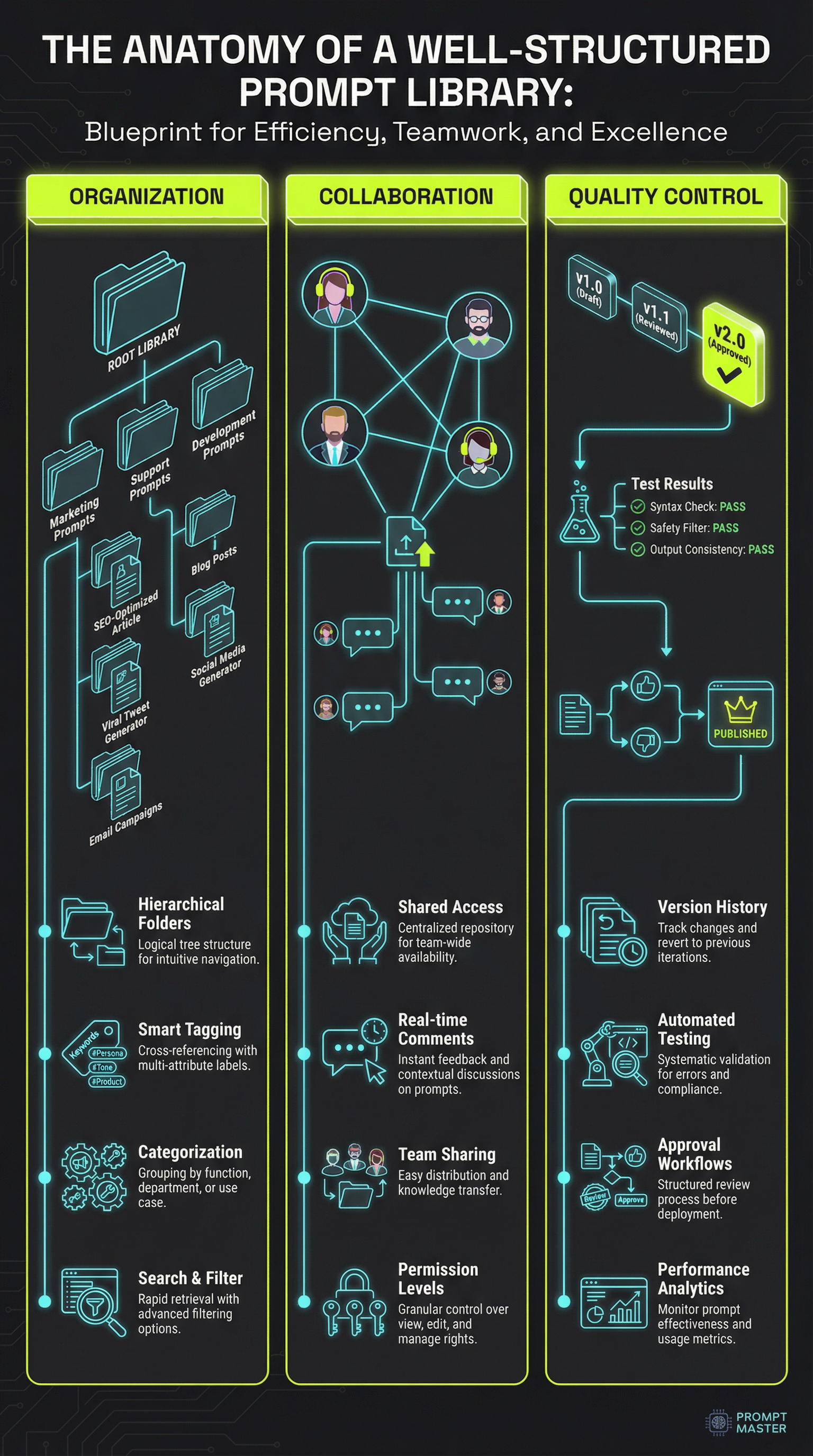
Image 2: Place after "Version Control for Humans" section intro
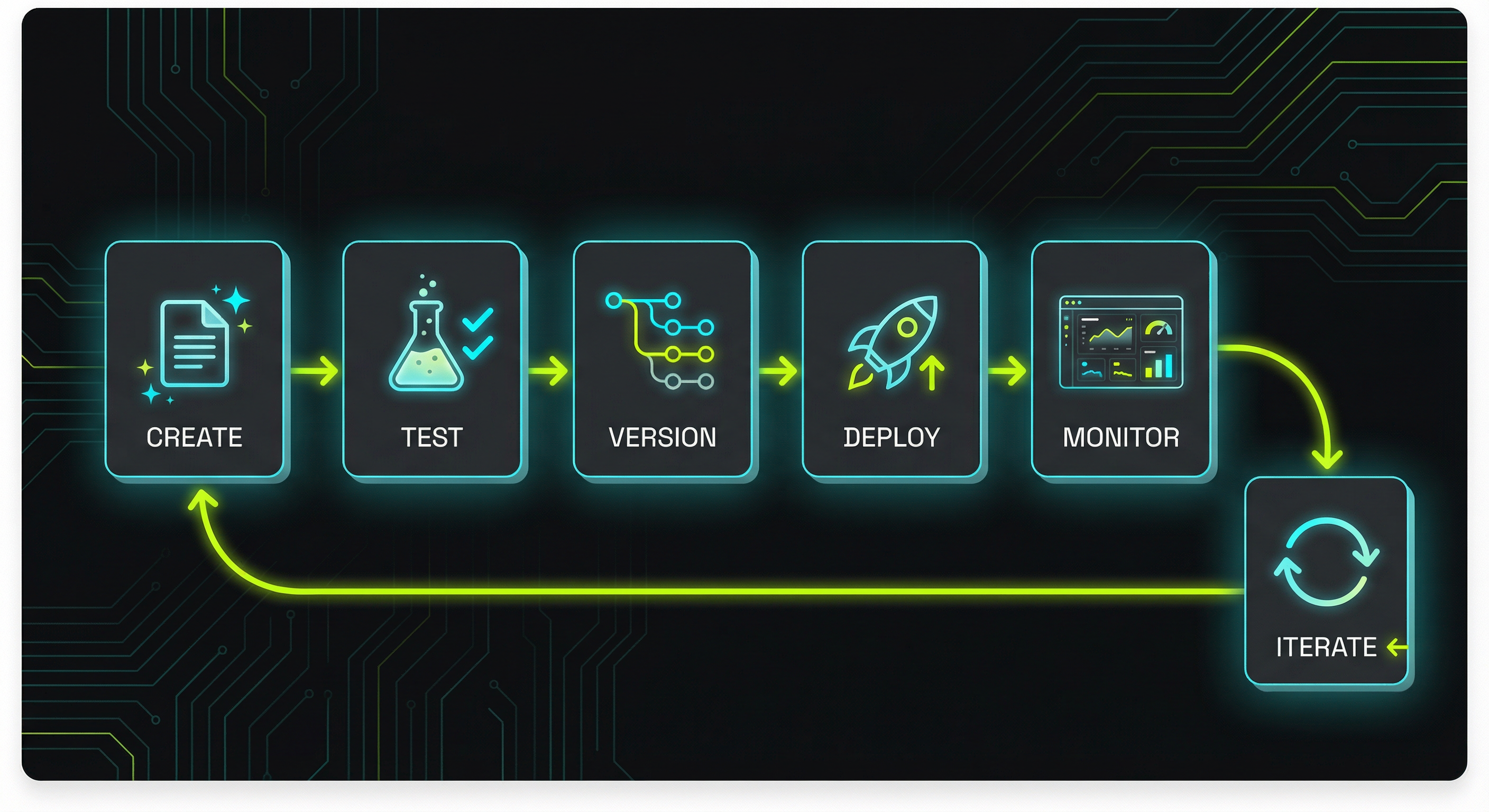
Image 3: Place after "Measuring What Matters" section intro
Stay ahead with AI insights
Get weekly tips on prompt engineering, AI productivity, and Promptsy updates delivered to your inbox.
No spam. Unsubscribe anytime.

Related Articles
Prompt Version Control: Git for Your AI Prompts