Complete Guide to Prompt Management Systems

Systematic prompt management transforms scattered prompts into production-grade infrastructure with version control, team collaboration, and governance.
Key Takeaways
- Prompt management reduces debugging time by 50% and increases team productivity 3x
- Core components include version control, organization, access control, testing, deployment, and monitoring
- Start with an audit of existing prompts and define clear taxonomy and naming conventions
- Choose tools based on team size, technical requirements, and integration needs
- Measure success through deployment speed, reuse rates, and audit readiness
Complete Guide to Prompt Management Systems
Here's what we learned building prompt management at scale: teams that implement systematic prompt management cut debugging time in half and ship new iterations three times faster. The numbers aren't subtle. You either treat prompts as production infrastructure or watch your team drown in versioning chaos.
Prompts used to live in Slack threads and random Google Docs. Engineers would copy-paste from each other, lose track of what worked, and spend more time hunting down the "good version" than actually improving the AI. That experimental playground approach died the moment LLMs moved into production. Now you need the same engineering discipline you apply to code—because prompts are code.
This guide walks you through building a complete prompt management system: version control, organization, governance, deployment, and metrics that actually matter. Not theory. Implementation.
What Is Prompt Management?
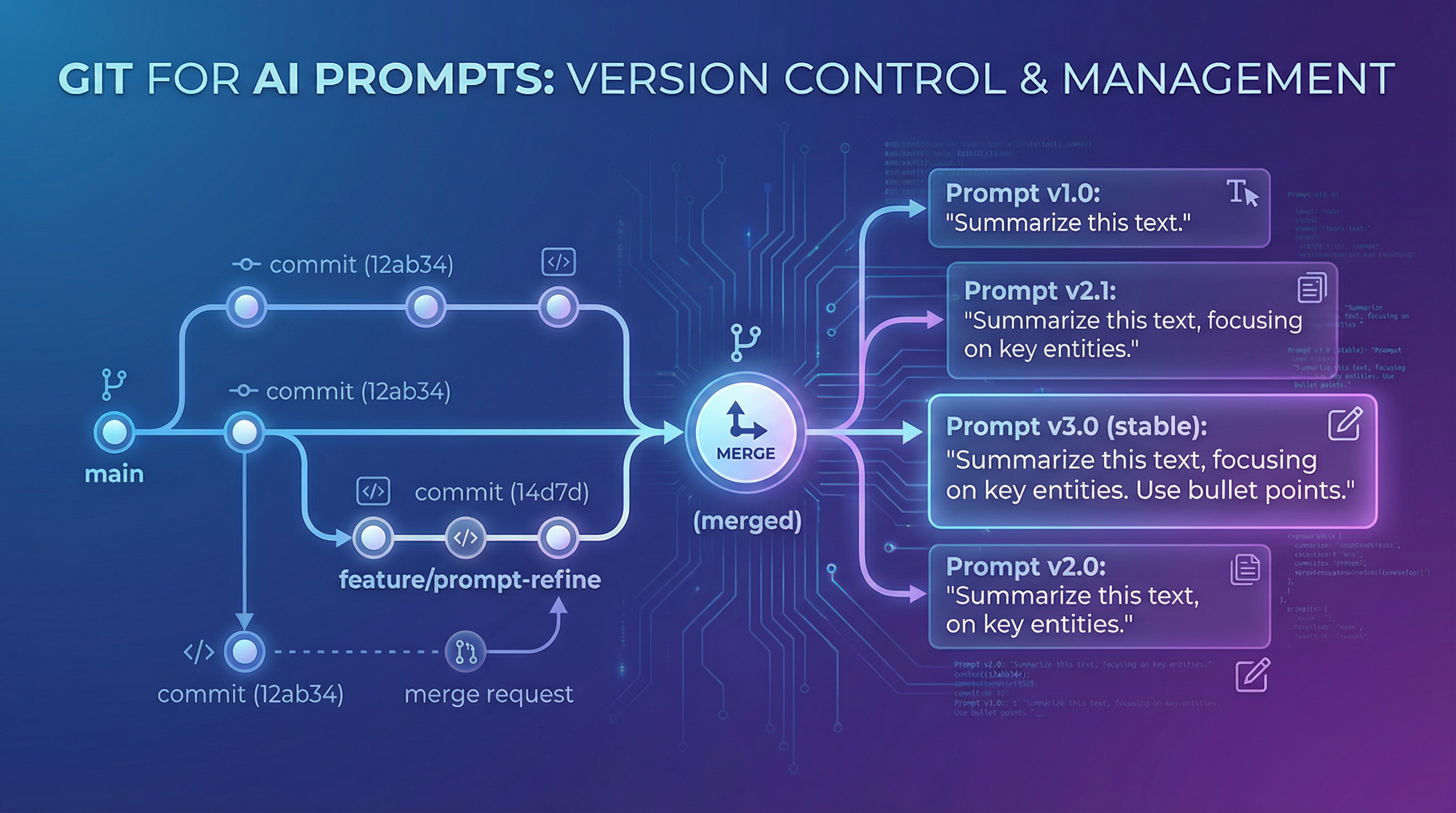
Prompt management is the systematic practice of creating, storing, versioning, and deploying prompts across your organization. Think Git for AI instructions. Every prompt gets tracked, every change documented, every team member working from the same source of truth.
The discipline emerged because production AI systems can't tolerate the chaos of ad-hoc prompt development. Your model's behavior depends entirely on the prompt you feed it. Change three words and suddenly your customer-facing chatbot sounds like a different product. Version control isn't optional—it's survival.
Evolution from ad-hoc to systematic: the maturity curve
Most teams follow a predictable path. You start by experimenting in playground interfaces, copying prompts between team members via Slack. Works fine for side projects. Then you ship to production and everything breaks.
Stage one is pure chaos. Everyone has their own prompts scattered across tools. Stage two brings some order—people start sharing in Notion or a wiki, maybe a shared folder. Stage three introduces basic version tracking, usually just numbering: prompt_v1, prompt_v2, prompt_final_FINAL_real. Stage four builds centralized management with proper tools and workflows. Stage five treats prompts as first-class production infrastructure with full CI/CD, monitoring, and rollback capabilities.

You can skip stages, but you can't skip the underlying work. Teams that jump straight to enterprise tooling without establishing taxonomy and workflows just end up with expensive chaos.
Core components that matter
Every working prompt management system needs six pieces: version control to track changes and enable rollbacks, organizational structure to keep thousands of prompts findable, access controls to manage who can modify production prompts, testing frameworks to catch regressions before deployment, deployment mechanisms to push changes safely, and analytics to understand what's actually performing.
Skip any component and you'll feel it. No version control means you can't debug when things break. No organization means prompts become unfindable at scale. No testing means every change is a gamble. The parts aren't optional—they're the minimum viable infrastructure for production AI.
This matters now because LLMs graduated from research projects to revenue-generating systems. Your prompts directly impact customer experience, operational costs, and competitive advantage. Treating them like throwaway experiments is expensive.
The Cost of Prompt Chaos
Let's instrument this properly. What does unmanaged prompt development actually cost?
Lost prompts equal lost institutional knowledge. Your senior engineer spends three weeks perfecting a prompt that reduces hallucinations by 40%. They move to a new project. Six months later, someone else tackles the same problem from scratch because nobody can find the original work. You just paid for the same solution twice.
Versioning nightmares emerge the moment bugs hit production. Customer reports weird behavior in your AI feature. Which prompt version is running? What changed last week? Who approved the modification? Without systematic tracking, debugging becomes archaeology. Teams report spending 5-10 times longer managing prompt versions than actually improving prompts.
Team collaboration breaks down without shared libraries. Engineering builds prompts in their IDE. Product tests variations in ChatGPT. Marketing creates their own versions for campaigns. Everyone's solving identical problems in isolation. Prompt reuse stays near zero even though you're paying for the same tokens repeatedly.
Compliance and audit trails vanish. Enterprise customers ask "how do you govern AI behavior?" You have no answer. Regulators want to see decision-making transparency. Your prompts live in Slack history and deleted Google Docs. That's not a compliance strategy—it's liability.
Real teams face this daily. A Series B startup spent six months iterating on prompts for their core product feature. No version control, just engineers modifying a shared file. The file got corrupted. They lost the entire evolution—every experiment, every learning, every failed approach that taught them what not to do. Back to square one. The technical debt wasn't in their code; it was in their missing prompt infrastructure.
Poor management increases operational costs by 30-50% through inefficient token usage alone. You're running expensive LLM calls with prompts nobody optimized because nobody knows which version performs best. The cloud bill says you have a management problem, not a model problem.
Core Components of Prompt Management Systems
Here's the architecture that works. Six interconnected components that turn prompt chaos into production infrastructure.

Version control and history tracking
Every prompt change needs full diff tracking. Not just "v2" labels—actual line-by-line comparisons showing what changed, when, and why. Tools like Promptsy's Version History feature provide full diff tracking, making it easy to see exactly what changed between prompt versions and why.
The wedge is treating prompts exactly like code commits. Same discipline, same tooling patterns, same review processes. Your engineering team already knows this workflow. Don't invent new paradigms when Git's model works perfectly.
History tracking enables rollbacks, which you'll need. That prompt update that seemed great in testing? It's causing problems in production. Roll back to the last stable version in seconds, not hours. Teams without rollback capability experience 3x higher regression rates because they can't respond quickly when changes break.
Organizational structures (folders, tags, collections)
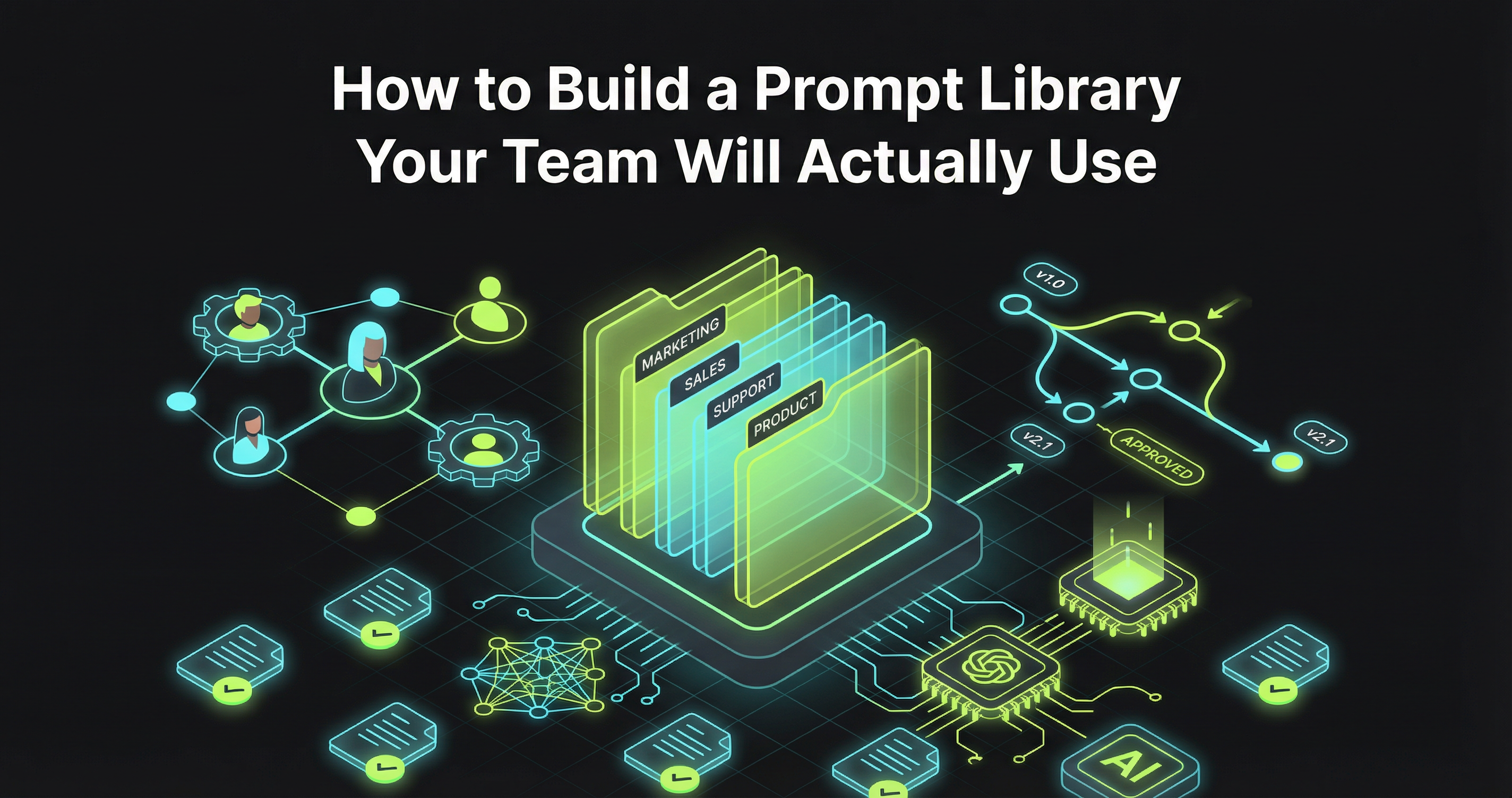
A centralized Prompt Library acts as your team's single source of truth, eliminating scattered prompts across Slack, docs, and codebases. But organization is more than just folders. You need taxonomy.
Start with clear naming conventions. Not "prompt1" or "test_final_v3"—descriptive names that convey purpose and context. "customer_support_escalation_handler" tells you what it does. "johns_prompt_copy" tells you nothing.
Folders mirror your product architecture. If you have separate AI features for summarization, classification, and generation, organize prompts accordingly. Tags add cross-cutting concerns: language, model type, production status, owner team. Collections group related prompts for specific workflows.
At scale, you might manage 10,000+ prompts. Organization isn't cosmetic—it's the difference between finding what you need in 10 seconds versus 10 minutes.
Access controls and permissions
Not everyone should modify production prompts. Your intern testing ideas in the playground doesn't need write access to customer-facing AI features.
Implement role-based permissions. Engineers get full access to development prompts but need approval for production changes. Product managers can view and suggest modifications but not deploy. Marketing teams work in their own workspace with their own prompts. Administrators control the taxonomy and governance rules.
Audit logs track every change. Who modified what, when, and why. This isn't paranoia—it's answering the inevitable question: "why did our AI start behaving differently yesterday?"
Enterprise teams cite governance as the primary driver for systematic prompt management 40% of the time. Regulators want transparency. Customers want accountability. Access controls make both possible.
Testing and evaluation frameworks
Shipping prompt changes without testing is like deploying code without running tests. You're gambling on production.
Build evaluation frameworks that catch regressions before users do. Define test cases with expected outputs. Run new prompt versions against your test suite. Compare performance metrics: accuracy, latency, token usage, output quality. Teams lacking evaluation frameworks see 3x higher regression rates.
The testing layer is where you instrument whether changes actually improve things. "This feels better" isn't a deployment criterion. "This version scores 15% higher on our eval set with 20% fewer tokens" is.
Some teams build custom eval frameworks. Others use existing tools that integrate with their prompt management system. The approach matters less than having any systematic evaluation at all.
Deployment and rollback mechanisms
Deployment bottlenecks kill velocity. Simple prompt updates shouldn't take multiple days. Yet teams without proper infrastructure report exactly that—what should be a two-minute change becomes a multi-day process involving tickets, approvals, and manual updates across environments.
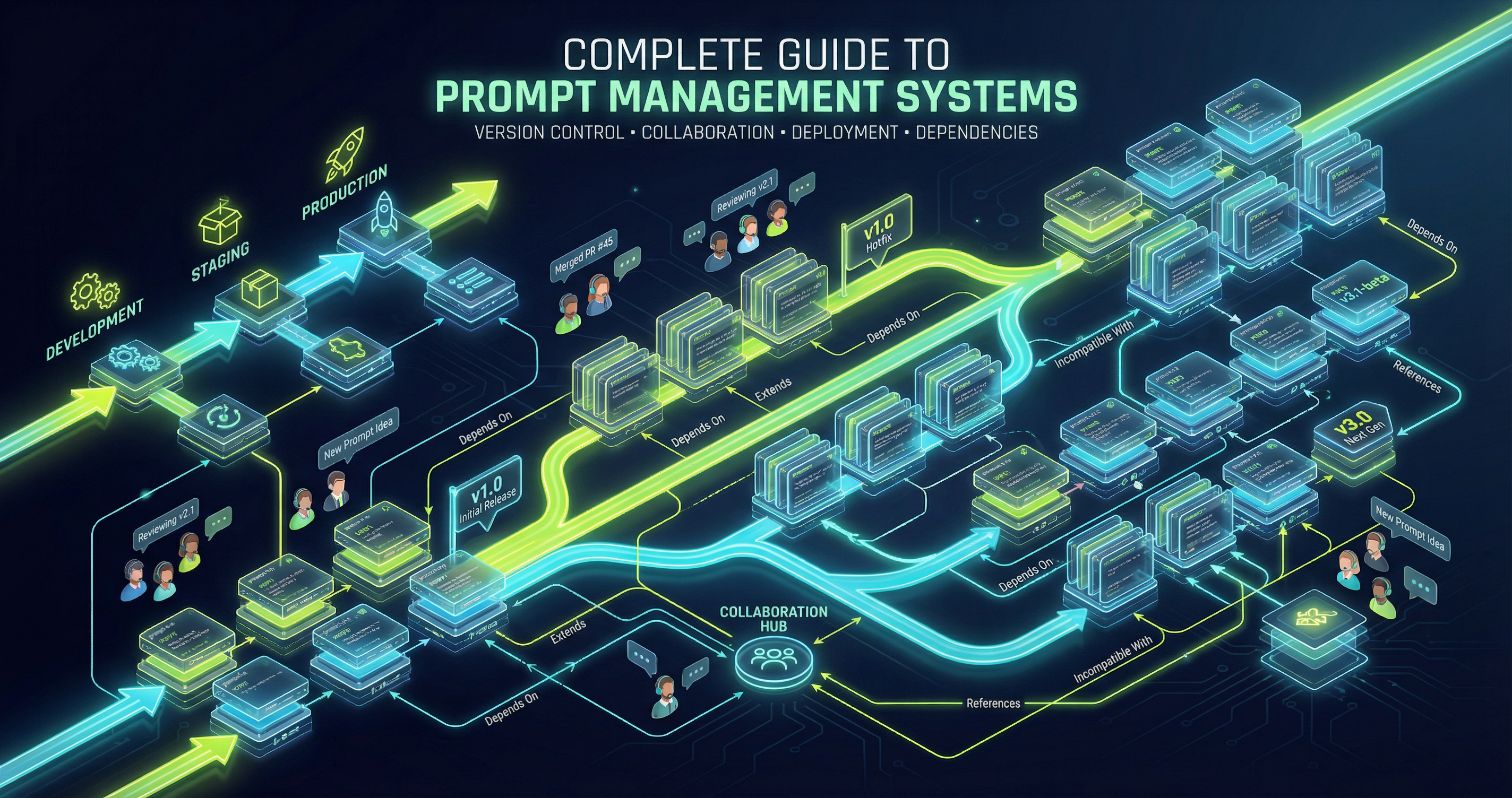
Proper deployment means: clear promotion paths from development to staging to production, automated validation at each stage, rollback capabilities when things break, and environment-specific configurations for different deployment contexts.
Organizations implementing solid prompt management see 40-60% faster iteration cycles. The technical capability to deploy quickly creates organizational permission to experiment boldly.
Analytics and monitoring
You can't improve what you don't measure. Analytics tell you which prompts actually perform in production.
Track usage patterns. Which prompts get called most frequently? Which ones are expensive? Which generate errors or unexpected outputs? Which get rolled back repeatedly? Monitor cost per prompt, average latency, user satisfaction signals, and output quality metrics.
This instrumentation reveals optimization opportunities. Maybe that expensive prompt runs 10,000 times daily but could be cached. Maybe that rarely-used prompt is costing more in maintenance than value. Data drives decisions.
Building Your Prompt Management Strategy
Theory is cheap. Here's the actual implementation roadmap that works.

1. Assess current state: audit existing prompts
You can't organize what you haven't inventoried. Start by finding every prompt your organization uses. Check codebases, documentation, Slack archives, personal Google Docs, playground accounts, and that engineer's local machine.
Document what you find: prompt text, purpose, owner, last modified date, production status, performance data if available. This audit usually surfaces surprises. Duplicate efforts. Abandoned experiments still running in production. Critical prompts nobody remembers writing.
The audit answers: what prompts do we have, who owns them, which are critical, and where are the gaps?
2. Define taxonomy and naming conventions
Decide your organizational structure before migrating prompts. What categories make sense? How will you name things? What metadata do you need?
Naming conventions should be descriptive, consistent, and scalable. Establish rules:
- Use lowercase with underscores:
customer_service_greeting - Include version in name or metadata:
v2_summarization_engine - Prefix by domain or product:
support_for customer support prompts - Suffix by language or model:
_gpt4or_claude
Document the taxonomy in a spec everyone can reference. This is your organizational paved road.
3. Establish version control workflows
Define how changes happen. Who can propose modifications? What review process do changes undergo? How do you test before deploying? What approval gates exist for production updates?
A typical workflow: engineer creates branch/draft prompt, documents changes and reasoning, runs evaluation tests, requests review from prompt owner or team lead, gets approval based on test results, merges/deploys to production, monitors for issues.
This structured momentum prevents chaos while maintaining speed. Clear process means less debate, faster decisions, confident deployments.
4. Set up team collaboration processes
Team workspaces with pooled credits enable cross-functional collaboration without constant handoffs between engineering and product. Define workspace boundaries. Support team prompts here. Product prompts there. Shared utilities in commons.
Establish communication patterns. How do teams share learnings? Where do you document prompt strategies? How do you prevent duplicate work? Regular reviews where teams share what's working?
The collaboration layer is where good practices spread. One team's breakthrough becomes everyone's technique.
5. Implement testing and quality gates
Build your evaluation framework. Start simple: a spreadsheet of test cases with expected outputs. Progress to automated testing: scripts that run new prompts against test cases and report results.
Define quality gates: "No production deployment without 90% test pass rate" or "Must beat existing prompt on cost and quality." These gates prevent regressions while allowing improvements.
Quality gates give teams confidence to ship fast. When testing is systematic, deployment becomes low-risk.
6. Plan deployment and monitoring
How do prompts move from development to production? What monitoring catches issues? What metrics indicate success or failure?
Set up deployment automation where possible. Prompt changes trigger tests, pass gates, promote automatically. Manual approval only for high-risk changes.
Monitor actively post-deployment. First 24 hours are critical. Watch error rates, user feedback, cost metrics, and quality signals. Quick rollback if issues emerge.
Instrumentation enables learning. You're not just deploying prompts—you're running experiments that generate data about what works.
Tools and Platforms
The build-versus-buy question. Here's how to decide.
Solution categories
DIY approaches: Build your own system with Git repos, documentation tools, and custom scripts. Maximum flexibility, maximum maintenance burden. Makes sense for teams with specific requirements and engineering resources to spare.
Purpose-built tools: Platforms designed specifically for prompt management. Promptsy, PromptLayer, Humanloop, Langfuse. These tools understand the prompt management problem deeply. Features: version control, testing frameworks, deployment workflows, analytics. Less custom flexibility but much faster time-to-value.
Enterprise platforms: Full-stack AI development platforms with prompt management as one component. Maximum features, maximum complexity, maximum cost. Built for large organizations with complex governance requirements.
Key features to evaluate
When comparing tools, focus on:
- Version control depth: Full diff tracking or just version numbers? Rollback support? Branch/merge capabilities?
- Organization flexibility: Can you structure prompts to match your team's mental model?
- Integration quality: How well does it connect to your existing stack? API-first or UI-only?
- Testing capabilities: Built-in eval frameworks or bring your own? Automated or manual?
- Deployment workflows: CI/CD integration? Environment management? Approval flows?
- Analytics depth: Real-time monitoring? Cost tracking? Quality metrics?
- Team collaboration: Shared workspaces? Permission systems? Comment/review features?
- Learning curve: How fast can your team become productive?
Promptsy's approach
We built Promptsy because existing solutions were too heavy. Enterprise platforms over-engineered the problem. DIY approaches dumped all the complexity on teams.
Our wedge: developer-friendly prompt management that works like the tools engineers already know. Git-like version control. Clean API. Fast time-to-value. The system should fade into the background and let you focus on improving prompts, not managing tools.
Lightweight doesn't mean less powerful—it means efficient. Core features without bloat. Integration-friendly without lock-in. Ship, learn, iterate.
Integration considerations
Your prompt management system doesn't exist in isolation. How does it connect to:
- Your LLM providers (OpenAI, Anthropic, etc.)?
- Your application code?
- Your CI/CD pipelines?
- Your monitoring and observability stack?
- Your team communication tools?
Seamless integration multiplies value. Friction kills adoption.
Measuring Success
Here's how you know if your prompt management system is working.
Time to deploy new prompts
Before systematic management: days or weeks to get a new prompt into production. After: hours or minutes. Measure the full cycle from "I have an idea" to "it's live and monitored."
Faster deployment enables experimentation. When trying new approaches is cheap, innovation accelerates.
Debugging time reduction
When production issues emerge, how long does diagnosis take? With proper version history and monitoring, you can identify the problematic change in minutes. Without it, you're guessing.
Teams report 50% reduction in debugging time after implementing systematic prompt management. That's not efficiency—that's reclaimed engineering hours for building instead of firefighting.
Team reuse rates
How often do team members reuse existing prompts versus creating from scratch? Organized libraries with good search increase reuse 3x.
Reuse compounds savings. Every reused prompt is time saved, tokens optimized, and learning shared.
Version rollback frequency
Are you rolling back often (sign of poor testing) or rarely (sign of good quality gates)? Track rollback frequency and reasons.
Some rollbacks are healthy—quick response to unexpected issues. Frequent rollbacks signal process problems upstream.
Compliance audit readiness
Can you answer these questions instantly:
- What prompts are running in production right now?
- Who approved each one and when?
- What testing validated them?
- What changes happened in the last 30 days?
- Who has access to modify customer-facing prompts?
If yes, you're audit-ready. If you need days to gather answers, you have gaps.
Frequently Asked Questions
How is prompt management different from code management?
Prompts are code, but they're weirder code. They change behavior through natural language, not logic. Small wording changes create large behavioral shifts. Testing is harder because outputs are probabilistic, not deterministic. Version control principles apply, but the evaluation methods differ.
The mental model is the same: track changes, review before deployment, test systematically, monitor production, enable rollbacks. The implementation details differ.
When should teams adopt prompt management?
The moment you ship prompts to production. If users or customers interact with AI you control, you need prompt management.
Earlier adoption prevents pain. Starting with systematic management is easier than migrating from chaos later. But even late adoption pays off—teams report immediate benefits from bringing order to existing prompt libraries.
What's the ROI timeline?
Immediate: within the first week, teams report faster debugging and easier collaboration. First month: reduced duplicate work and increased reuse. First quarter: measurable improvements in deployment speed and operational costs.
The ROI is fast because the alternative—prompt chaos—is so expensive. You're not adding new capability; you're removing waste.
How do you migrate existing prompts?
Start with the audit. Find everything. Then prioritize: migrate production-critical prompts first, frequently-used prompts second, experimental/legacy prompts last or archive.
Migration doesn't have to be all-at-once. Move prompts in batches. Establish the system, prove value with high-priority prompts, then expand. Structured momentum beats big-bang migrations.
What are common mistakes?
Over-engineering before understanding your needs. Adopting tools without establishing workflows. Treating prompt management as a side project instead of infrastructure. Not involving the full team—if only engineers use the system, product and support can't collaborate. Failing to define clear ownership and accountability.
The biggest mistake: waiting until the pain becomes unbearable. Start before you think you need it.
What's Your Next Move?
You have two paths. Keep managing prompts ad-hoc and watch the chaos scale with your team. Or build systematic infrastructure now and compound the benefits.
The choice isn't whether to adopt prompt management—production AI systems require it. The choice is whether you build something lightweight that enables speed or something heavy that creates process debt.
Start with the audit. You can't fix what you can't see. Find your prompts. Understand your current state. That clarity drives every decision forward.
Then pick your wedge. What's the most painful prompt problem your team faces right now? Lost versions? Can't find prompts? No testing? Solve that one problem first. Build momentum. Expand from there.
Systematic prompt management isn't about tools or processes. It's about treating your AI instructions with the same engineering discipline you apply to everything else in production. Your prompts shape user experience, drive costs, and create competitive advantage. Ship, learn, iterate—but instrument the whole cycle.
What are you building?
Stay ahead with AI insights
Get weekly tips on prompt engineering, AI productivity, and Promptsy updates delivered to your inbox.
No spam. Unsubscribe anytime.